Welcome to SEMRS support. This user manual shows you how to build a fast, safe WordPress site with SEMRS. Every guide uses short steps and the same menu names you see in your dashboard. You do not need to know any code.
What each SEMRS product does
SEMRS is a set of free tools for WordPress, plus one paid add-on. Think of it like a house. The theme is the building. The plugins are the rooms. Pro adds the extras.
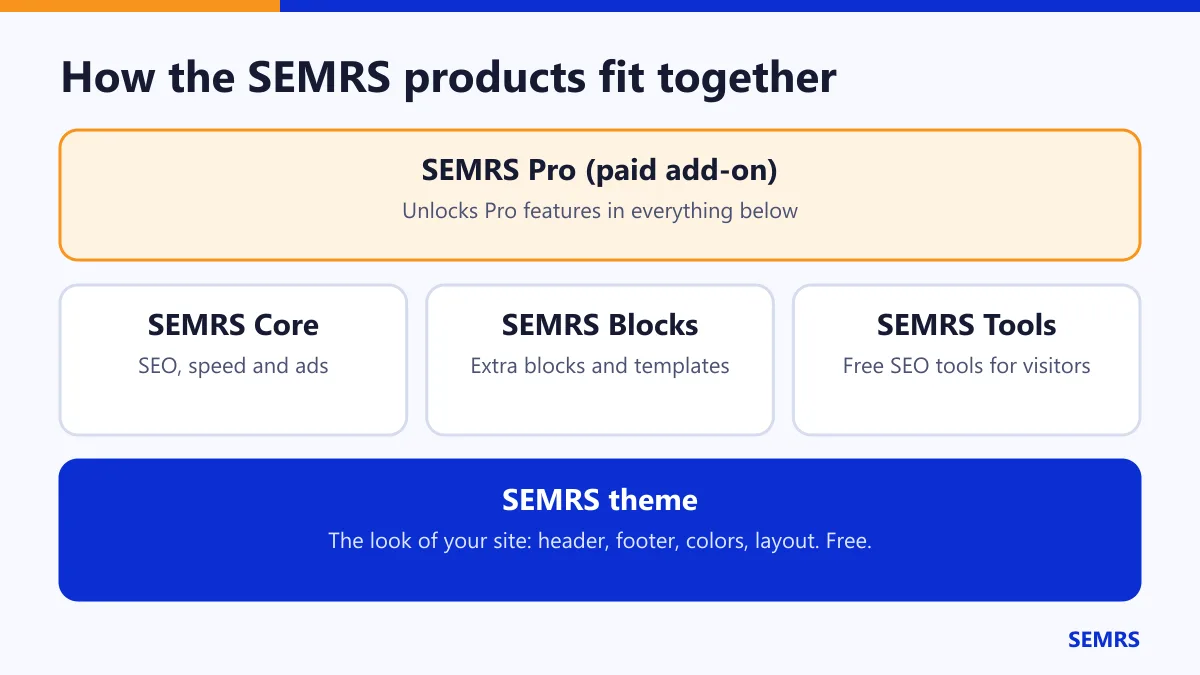
| Product | Price | What it does for you |
|---|---|---|
| SEMRS theme | Free | The look of your site: header, footer, colors and layout. |
| SEMRS Child SEO | Free | Adds a Call and WhatsApp bar on phones. Needs the SEMRS theme. |
| SEMRS Core | Free | SEO, speed and a safe ads manager. Works with any theme. |
| SEMRS Blocks | Free | Extra blocks for your pages, plus ready-made templates. |
| SEMRS Tools | Free | Free SEO tools your visitors can use on your site. |
| SEMRS Pro | Paid | Unlocks the Pro features in all of the above. |
Set up SEMRS in 4 steps
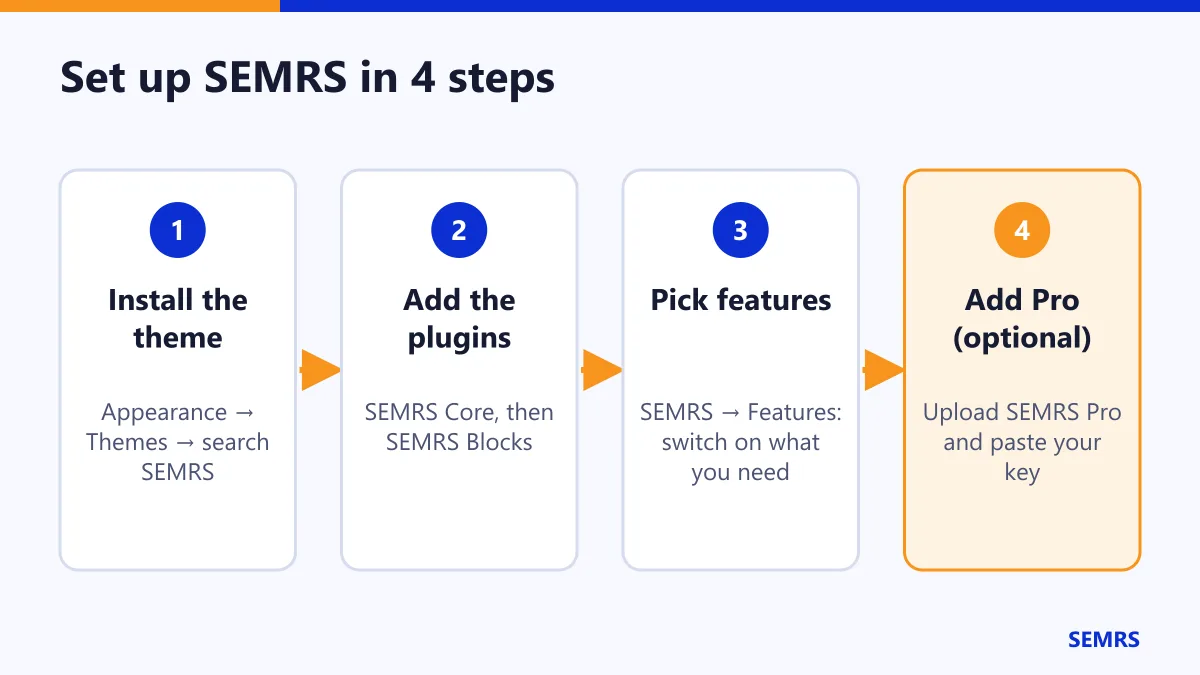
- Go to Appearance → Themes → Add New Theme. Search for “SEMRS”. Click Install, then Activate.
- Go to Plugins → Add New Plugin. Install and activate SEMRS Core. Then do the same for SEMRS Blocks.
- Open SEMRS → Features. Switch on only what you need. You can change this any time.
- Bought Pro? Upload SEMRS Pro, then paste your key in SEMRS → License.
Tip: start small. Turn on one feature, check your site, then add the next one.
Pick your guide
- Theme guide: header, footer, colors and page options.
- Blocks guide: every block, with tips.
- Templates guide: import a full website in one click.
- SEO guide: titles, descriptions and the SEO score.
- Ads guide: place ads safely and follow AdSense rules.
- Speed guide: make your pages load fast.
- Pro guide: your license key and updates.
- Policies guide: Google, AdSense, WordPress.org and privacy.
Free or Pro: how to tell
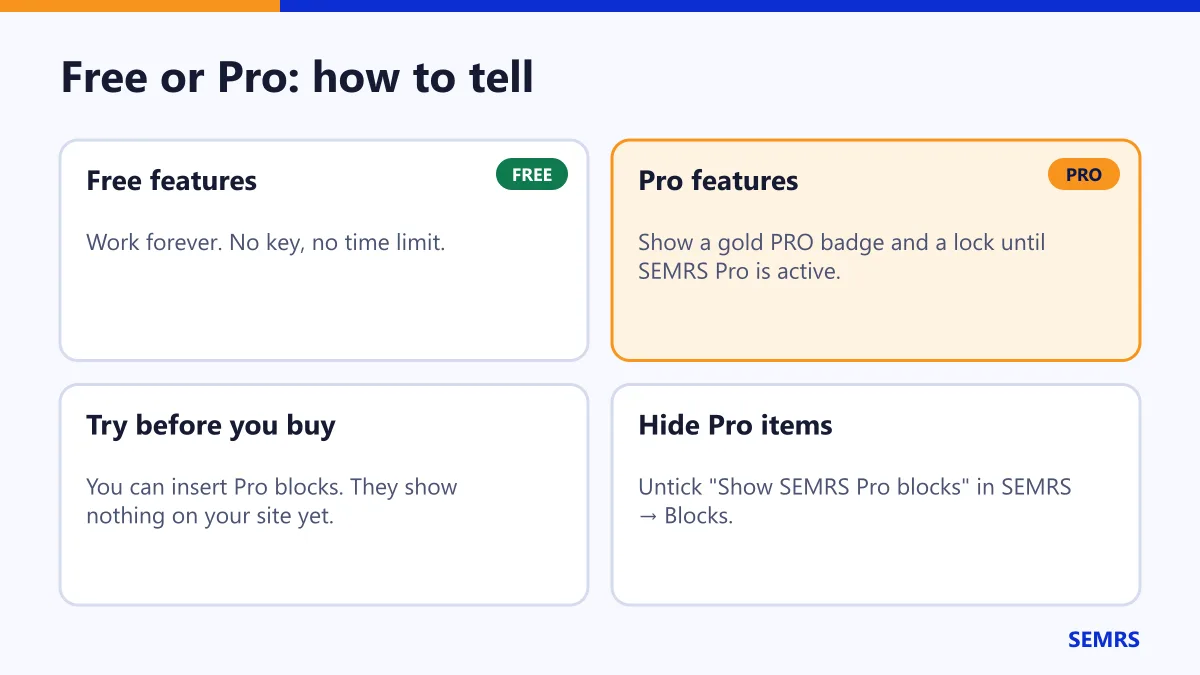
Pro features show a gold PRO badge and a small lock. They do nothing on your site until SEMRS Pro is active. Free features never stop working. They never ask for a key.
Need SEMRS support?
Send us a message with the contact form. Please tell us:
- your WordPress version and PHP version
- which SEMRS products you use
- what you did, and what you expected to happen
We will never ask for your WordPress password.
New to WordPress? The official WordPress documentation explains the basics of themes, plugins and the block editor.