This guide shows you how to install SEMRS Pro and activate your SEMRS Pro license key. It takes about two minutes. SEMRS Pro is an add-on. It needs the free SEMRS Core plugin. The Pro blocks also need the free SEMRS Blocks plugin.
Activate your license
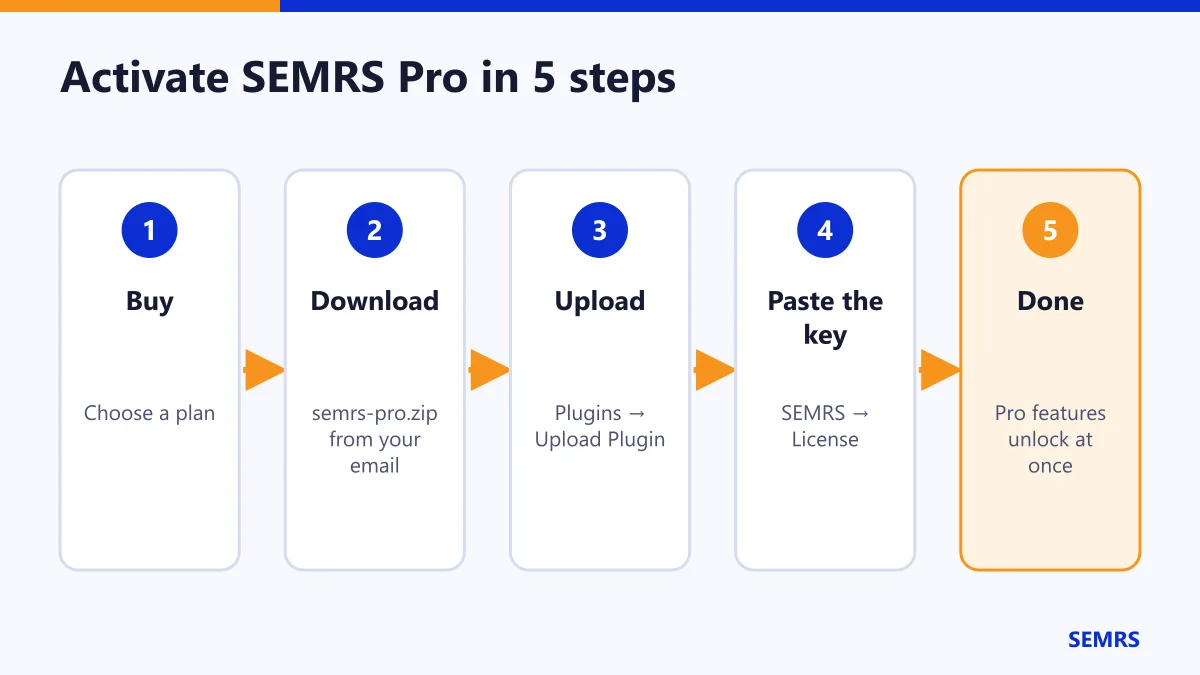
- Download
semrs-pro.zipfrom your purchase email or your account. - Go to Plugins → Add New Plugin → Upload Plugin.
- Choose the zip file. Click Install Now, then Activate.
- Go to SEMRS → License. Paste your key and click Activate license.
The status changes to Active. The Pro features unlock at once.
What Pro unlocks
| Area | What you get |
|---|---|
| Blocks | Slider, animated counter, 3D viewer, scroll animations, display conditions |
| Marketing | Popups that open after a delay, on scroll or when someone is about to leave |
| SEO | Redirects, 404 log, local SEO, instant indexing, bulk SEO editor |
| Speed | Delay chat and tracking scripts, cache preload, CDN |
| Ads | More ad places, targeting, A/B tests, click protection |
| Theme | Dark mode switch, mega menu, white label |
| Languages | Language switcher and linked translations |
Add a dark mode switch
- Go to Customize → SEMRS Theme → Header builder.
- Under Dark mode switch, choose how it starts: light, or the visitor’s own setting.
- Drag the Dark / light switch into your header.
- Click Publish.
The visitor’s choice is saved in their own browser.
Add more languages
- Go to SEMRS → Languages. Add one language per line, for example
en | English. The first line is your main language. - Add the Language switcher to your header.
- To translate a page, make a new page with the translated text. In the sidebar, open Language & translations. Pick its language and the original page. Save.
Google then shows the right language to each visitor. If a page has no translation yet, the switcher can link to Google Translate instead.
Move your key to another site
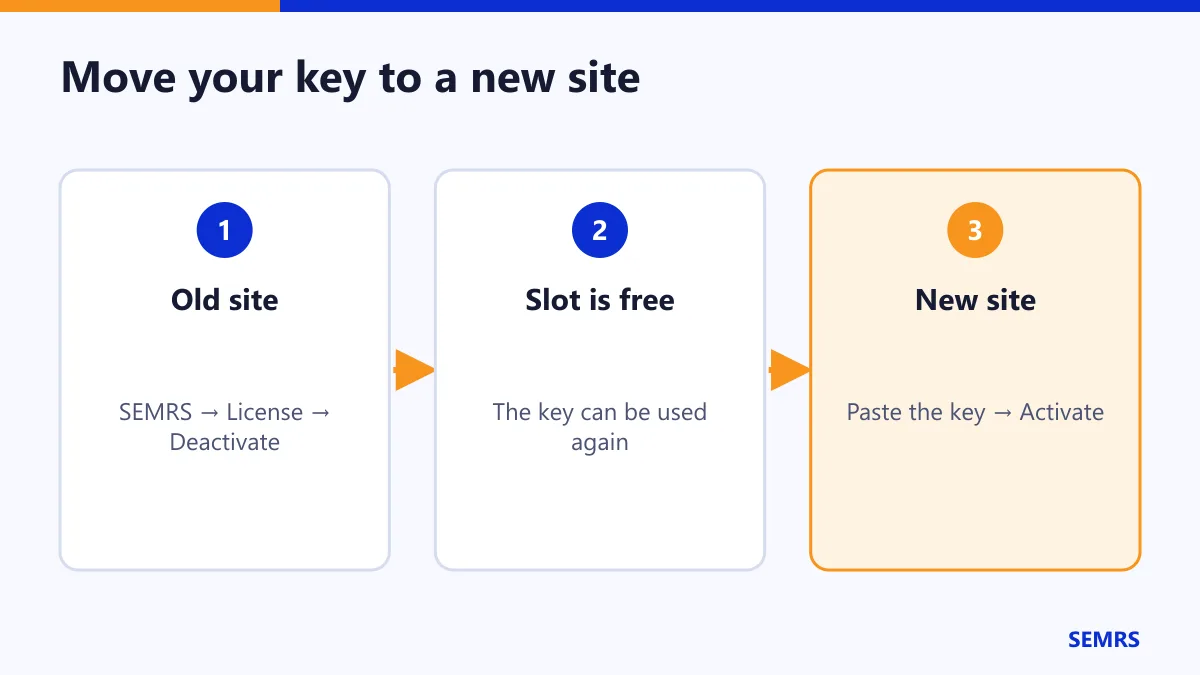
- On the old site, go to SEMRS → License and click Deactivate license.
- On the new site, paste the key and click Activate license.
Good to know: test sites do not use up a slot. This includes addresses with localhost, .local, .test, staging. or dev.
Updates
With an active key, WordPress tells you when an update is ready. Update SEMRS Pro in one click, just like any other plugin.
When your license ends
Your Pro features keep working. Renew to keep getting updates, fixes and support.
What data is sent
Only your license key, your site address and the plugin version go to semrs.com. No content and no visitor data is sent.
SEMRS Pro license help and next steps
SEMRS Pro uses the GNU GPL license, like WordPress itself. Compare plans on the SEMRS Pro page and see your keys under My Licenses. License questions? Contact us.