
An accessible website is one that people with disabilities can use, including people who are blind, have low vision, are deaf or hard of hearing, or cannot use a mouse. In the United States, the Americans with Disabilities Act (ADA) is the main law behind website accessibility claims, and lawsuits against business websites are common. This guide explains what ADA website compliance means in practice and gives you a plan to fix the most frequent problems.
On this page
- Key takeaways
- Does the ADA apply to websites?
- What WCAG asks for, in plain words
- The most common accessibility problems
- Why accessibility overlays are not a fix
- How to reach ADA website compliance: a step-by-step plan
- Step 1: Test what you have
- Step 2: Do a keyboard and screen reader check
- Step 3: Fix the templates first
- Step 4: Fix content
- Step 5: Publish an accessibility statement
- Step 6: Keep it up
- Accessibility helps SEO and sales too
- Frequently asked questions
Key takeaways
- The US Department of Justice expects websites of businesses open to the public to be accessible.
- WCAG 2.1 or 2.2 Level AA is the standard most settlements and rules refer to.
- Fix templates and content; overlay widgets cannot guarantee compliance.
This article is general information, not legal advice. Talk to a lawyer about your specific obligations.
Does the ADA apply to websites?
Title III of the ADA covers “places of public accommodation”, such as shops, restaurants, clinics and many service businesses. The US Department of Justice has said in its 2022 guidance that businesses open to the public must make their websites accessible to people with disabilities. The ADA itself does not name a technical standard for private business websites, but courts and settlements commonly refer to the Web Content Accessibility Guidelines (WCAG), usually version 2.1 or 2.2 at Level AA.
For state and local governments (Title II), the Department of Justice adopted a rule in 2024 that sets WCAG 2.1 Level AA as the standard, with compliance dates depending on the size of the government body.
What WCAG asks for, in plain words
WCAG is organized around four principles. A site should be:
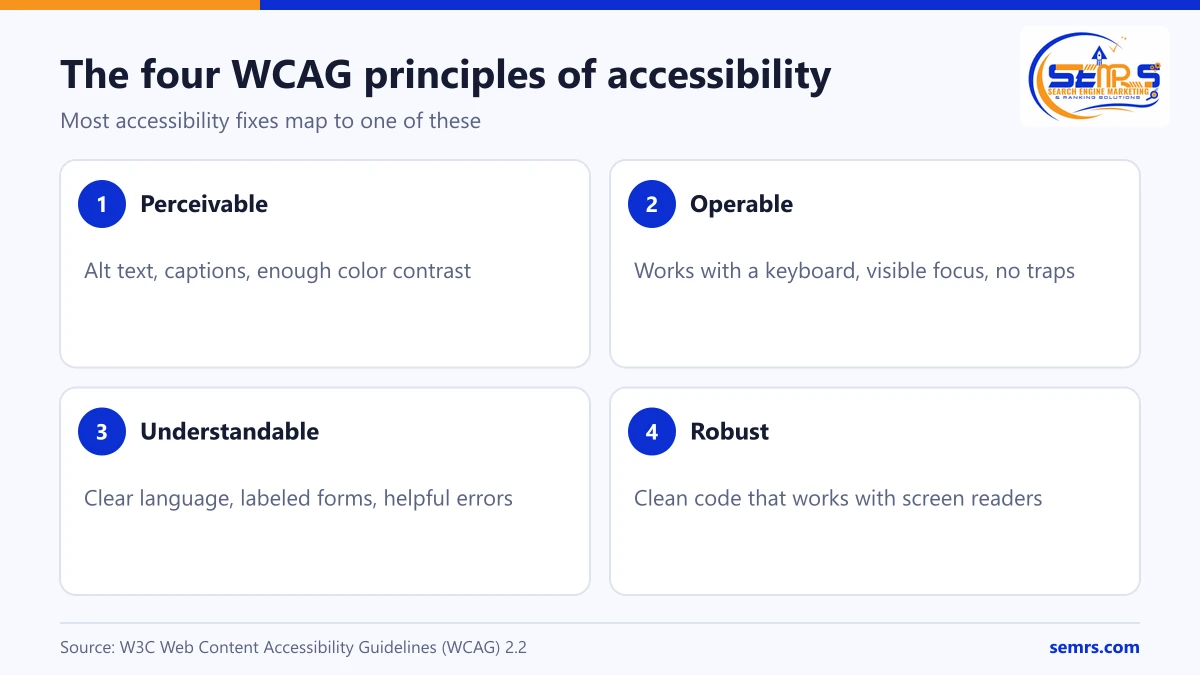
- Perceivable: text alternatives for images, captions for video, enough color contrast.
- Operable: everything works with a keyboard, nothing flashes dangerously, users have enough time.
- Understandable: clear language, predictable navigation, helpful form errors.
- Robust: clean code that works with screen readers and other assistive technology.
The most common accessibility problems
- Missing alt text on meaningful images.
- Low color contrast between text and background.
- Form fields without labels, so screen readers announce “edit text” with no context.
- Links and buttons with vague names such as “click here” or icon-only buttons with no label.
- Keyboard traps and menus that only open on mouse hover.
- No visible focus indicator, so keyboard users cannot see where they are.
- Missing headings structure, which makes pages hard to navigate.
- Videos without captions and audio without transcripts.
- PDFs that are scanned images with no readable text.
- Pop-ups that cannot be closed with a keyboard.
Why accessibility overlays are not a fix
Overlay widgets promise one-line compliance. They can change colors or font sizes, but they cannot reliably repair missing labels, broken keyboard paths or inaccessible forms, and some interfere with screen readers. Many accessibility lawsuits have been filed against sites that used overlays, and US regulators have taken action against misleading compliance claims. Fixing the code is the dependable route.
How to reach ADA website compliance: a step-by-step plan
Step 1: Test what you have
Run an automated checker (for example WAVE or Lighthouse) on your key templates: home page, a service page, a blog post, the contact form and checkout if you have one. Automated tools catch only some issues, so always follow up with a manual check.
Step 2: Do a keyboard and screen reader check
Unplug the mouse and try to complete your main tasks with Tab, Shift+Tab, Enter and Space. Then try a free screen reader (NVDA on Windows, VoiceOver on Mac and iPhone) on the same tasks.
Step 3: Fix the templates first
Most issues live in shared templates: header, menu, footer, forms and buttons. Fixing them once fixes every page. Choose an accessible theme; the SEMRS WordPress theme is built with keyboard focus states, skip links and contrast-checked colors.
Step 4: Fix content
Add alt text, use real headings in order, write descriptive link text, caption videos and replace scanned PDFs with accessible versions or web pages.
Step 5: Publish an accessibility statement
Say which standard you aim for, what you have done, any known gaps and how people can contact you for help or report a barrier.
Step 6: Keep it up
Check new pages before publishing and re-test after design changes. Accessibility is ongoing, like security.
Accessibility helps SEO and sales too
Many accessibility fixes also help search engines and every visitor: descriptive headings, alt text, fast pages, clear forms and good contrast. More people can complete a purchase or enquiry, which improves conversion rates.
Frequently asked questions
Is my small business website required to be ADA compliant?
If your business is open to the public, the Department of Justice expects your website to be accessible. Small businesses are not exempt from Title III. A lawyer can advise on your situation.
What WCAG level should my website meet?
WCAG 2.1 or 2.2 Level AA is the level most often used in settlements, government rules and procurement. Aim for 2.2 AA for new work.
Can an accessibility plugin make my site compliant?
No plugin can guarantee compliance. Tools help find problems, but fixing templates and content is what makes a site usable.
How much does it cost to make a website accessible?
It depends on the size and age of the site. Fixing shared templates and a few key pages is often a small project; large custom sites cost more. Building accessibly from the start is the cheapest route.
Can SEMRS audit and fix my website?
Yes. SEMRS web design includes accessibility checks against WCAG 2.2 AA, and we can audit and fix existing WordPress sites. Request a free quote.
Sources: US Department of Justice, Guidance on Web Accessibility and the ADA; W3C, WCAG 2.2.