
An email marketing platform lets you collect subscribers, design emails, automate follow-ups and see who opens and clicks, without sending bulk mail from your own inbox. For a small business, the right email marketing platform is the one that fits your list size, your budget and the way you sell. This guide compares free plans from popular tools, lists the features that matter and covers the rules every sender must follow.
On this page
- Key takeaways
- What an email marketing platform does
- Must-have features for small businesses
- Free email marketing platform plans compared
- How to choose an email marketing platform
- The email rules every sender must follow
- CAN-SPAM Act
- Authenticate your domain
- Getting results from your email marketing platform
- Frequently asked questions
Key takeaways
- Start with the free plan that fits your list; most free plans cap contacts or sends, not features you need on day one.
- Must-haves are signup forms, automation, segmentation, reporting and easy unsubscribes.
- Every marketing email must follow the CAN-SPAM Act, and bulk senders to Gmail must authenticate their domain.
What an email marketing platform does
- Collects subscribers with signup forms, pop-ups and landing pages.
- Stores contacts and consent, including where and when each person signed up.
- Designs emails with drag-and-drop templates that work on phones.
- Automates welcome series, abandoned-cart reminders and follow-ups.
- Segments your list by interest, purchase or location.
- Reports opens, clicks, unsubscribes and sales.
- Handles compliance: unsubscribe links, your postal address and bounce handling.
Must-have features for small businesses
| Feature | Why it matters |
|---|---|
| Signup forms and landing pages | Grow the list from your website and social profiles |
| Automation | A welcome series and follow-ups run without you |
| Segmentation and tags | Send the right offer to the right people |
| Mobile-friendly templates | Most people read email on their phone |
| A/B testing | Test subject lines to lift opens over time |
| Integrations | Sync with your CRM, online store and website forms |
| Reporting | See which emails lead to enquiries and sales |
| Deliverability tools | Domain authentication and bounce handling keep you out of spam |
Free email marketing platform plans compared
The table shows free-plan limits published on each vendor’s pricing page in October 2026. Limits and prices change often, so check the current plan before you sign up.
| Platform | Free plan limit | Good to know |
|---|---|---|
| Mailchimp | 250 contacts, 500 sends a month | Familiar and widely integrated; automation starts on paid plans |
| MailerLite | 250 subscribers, 2,500 emails a month | Includes basic automation and signup forms on the free plan |
| Kit | Up to 10,000 subscribers | Built for creators and newsletters, with unlimited broadcasts on the free plan |
| Klaviyo | 250 active profiles, 500 sends a month | Popular with online stores for product and cart emails |
| Brevo | 300 emails a day | Prices by email volume rather than contacts, with SMS options |
Paid plans usually charge by the number of contacts or by the number of emails you send. If you have a large list that you email rarely, volume-based pricing can cost less. If you email a small list often, contact-based pricing is usually simpler.
How to choose an email marketing platform
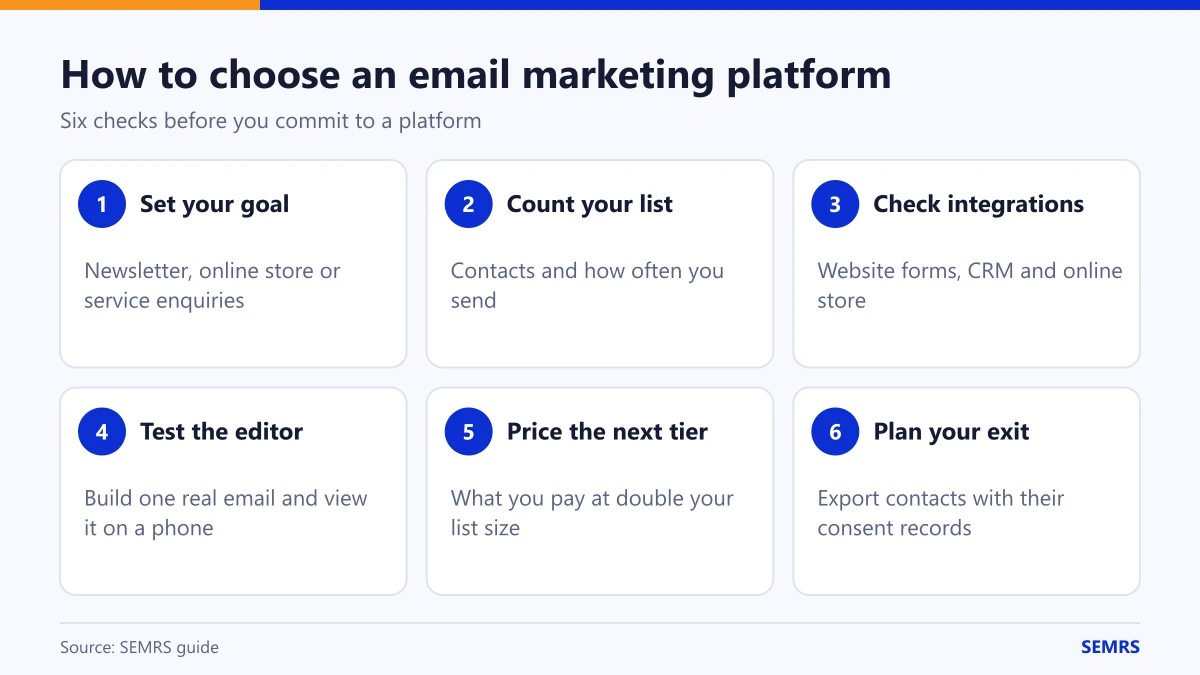
- Set your goal. Newsletters, online store sales and service enquiries each favor different tools.
- Count your list and sending frequency. This decides which free plan fits and when you will pay.
- Check integrations. Make sure it syncs with your website forms, CRM and store. Our guide to the best CRM for small business explains why contact data should live in one place.
- Test the editor. Build one real email and send it to yourself on a phone.
- Compare the price at your next list size. Look at what you will pay at double your current list, not just today.
- Check support and migration. Exporting contacts with their consent records should be simple.
The email rules every sender must follow
CAN-SPAM Act
In the US, the FTC’s CAN-SPAM guide sets the rules for commercial email. Every marketing email must:
- Use accurate “From” and routing information.
- Use a subject line that is not deceptive.
- Identify the message as an ad where it is one.
- Include a valid physical postal address.
- Explain how to opt out, and honor opt-outs within 10 business days.
Each email that breaks the law can cost up to $53,088 in penalties, and you stay responsible even if an agency sends it for you. If you email people in other countries, rules such as Canada’s CASL and the UK and EU data protection rules require consent before you email, so collect clear opt-ins from the start.
Authenticate your domain
Google’s email sender guidelines require senders to authenticate their domain. Bulk senders, those sending about 5,000 or more messages a day to Gmail accounts, must set up SPF, DKIM and DMARC, offer one-click unsubscribe and keep spam complaints low. Even small senders should set up SPF and DKIM: your platform shows you which DNS records to add.
Getting results from your email marketing platform
- Start with a welcome series of three to five emails for every new subscriber.
- Email on a steady schedule, such as every two weeks, so people expect you.
- Write one clear call to action per email.
- Track clicks to your site with UTM tags. Our free UTM builder creates them in seconds.
- Clean your list by removing addresses that bounce or have not opened in months.
- Use AI carefully. AI marketing tools can draft subject lines and copy, but a person should check every email before it is sent.
Frequently asked questions
What is the best email marketing platform for a small business?
The best email marketing platform depends on your goal and list size. Stores often prefer tools built around products and carts, creators favor newsletter tools, and service businesses need forms, automation and CRM sync. Test two free plans with a real email before you decide.
Is there a free email marketing platform?
Yes. Several platforms have free plans with limits on contacts or sends. In October 2026, Mailchimp, MailerLite and Klaviyo free plans started at about 250 contacts, Kit allowed up to 10,000 subscribers and Brevo allowed 300 emails a day.
Can I send marketing emails from Gmail or Outlook?
Not to a list. Personal inboxes are not built for bulk email, they lack proper unsubscribe handling and your messages are more likely to land in spam. Use an email marketing platform instead.
How often should a small business send marketing emails?
Most small businesses do well with one email every one to two weeks. Send more often only if each email is useful, and watch unsubscribes and complaints.
Can SEMRS write our marketing emails?
Yes. SEMRS writes four marketing emails a month for your own list for $29 a month, with honest headers, your postal address and an unsubscribe link in each. You send them from your own platform. See our pricing or content marketing services.
Want emails written and ready to send each month? See SEMRS pricing or request a free review.
Sources: Federal Trade Commission, CAN-SPAM Act: a compliance guide for business; Google, Email sender guidelines; vendor pricing pages for Mailchimp, MailerLite, Kit, Klaviyo and Brevo (checked October 2026).