
A customer relationship management (CRM) system keeps every lead, customer, conversation and deal in one place, so nothing falls through the cracks. For a small business, the best CRM is not the one with the most features; it is the one your team actually uses every day. This guide explains what to look for, compares popular options by use case and walks through a simple setup plan.
On this page
Key takeaways
- The best CRM for small business is the one your team uses every day.
- Look for pipelines, lead capture with source tracking, email integration and simple automation.
- Trial two or three options with real leads before you commit.
Signs you need a CRM
- Leads arrive from your website, phone, email and social media, and some get missed.
- Follow-ups depend on someone remembering.
- You cannot easily see which marketing channel brings paying customers.
- Customer details live in spreadsheets, inboxes and sticky notes.
- A team member leaves and takes their client history with them.
Must-have CRM features for small businesses
- Contact and company records with full activity history.
- Pipeline view that shows deals by stage.
- Lead capture from website forms, with source tracking.
- Email integration with Gmail or Outlook so emails log automatically.
- Tasks and reminders for follow-ups.
- Simple automation: assign new leads, send a welcome email, create a task.
- Reporting on leads by source, deals won and revenue.
- Mobile app if your team works on the road.
Nice to have: calling and texting, quotes and invoices, appointment booking, email marketing, and AI help with summaries and drafting.
Popular CRM options by use case
| If you need… | Options to look at | Why |
|---|---|---|
| A free start with room to grow | HubSpot CRM, Zoho CRM | Free or low-cost entry plans and large ecosystems |
| A visual sales pipeline | Pipedrive | Built around deals and stages |
| An all-in-one with marketing | HubSpot, Zoho One | CRM plus email, forms and automation |
| Enterprise depth later | Salesforce Starter | A path to advanced features as you scale |
| Simplicity for service businesses | CRMs bundled with booking or invoicing tools | Less to learn for small teams |
Features and prices change often, so compare current plans on each vendor’s site, and check which features sit behind higher tiers.
How much does a CRM cost?
Most CRMs charge per user per month, and many have a free or entry plan with limits on contacts, automation or reporting. Costs rise with advanced automation, custom reporting and more users. Add setup time or a consultant if you need data migration, integrations or custom fields. The real cost of a CRM nobody uses is far higher than any subscription, so weigh ease of use heavily.
How to choose a CRM for small business: five steps
- Map your sales process. Write the stages a lead moves through, from enquiry to paid.
- List your must-haves. Keep it short; ten features is plenty.
- Shortlist three CRMs that fit your budget and process.
- Run a two-week trial with real leads and the people who will use it daily.
- Check integrations with your website forms, email, calendar, accounting and ad platforms.
Setting up your CRM the right way
- Import clean data: remove duplicates and old contacts first.
- Create pipeline stages that match how you really sell.
- Connect website forms so every lead arrives with its source.
- Set up two or three automations at the start, not twenty.
- Agree on rules: who updates what, and by when.
- Review the pipeline in a short weekly meeting.
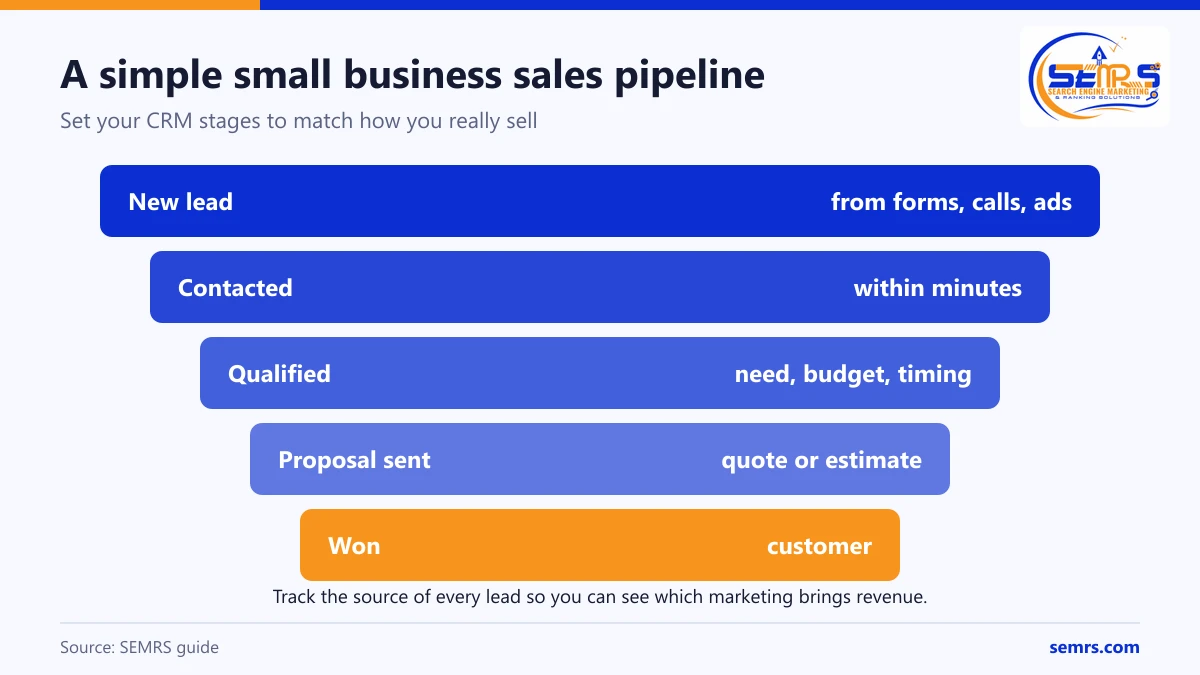
Connect your CRM to marketing
A CRM becomes much more valuable when it knows where each customer came from. Track form submissions and calls by source, pass campaign data from your website and send qualified leads back to Google Ads as conversions. Then you can see which SEO pages, ads and campaigns bring revenue, not just clicks. SEMRS can set this up as part of paid ads and lead generation.
Common CRM mistakes
- Choosing the most powerful system instead of the easiest.
- Importing messy data.
- Building complex automation before the basics work.
- Not training the team or checking adoption.
- Not tracking lead source, which hides your best marketing channels.
Frequently asked questions
What is the easiest CRM for a small business?
Ease depends on your process. Pipeline-focused tools and CRMs with clean free plans are usually quickest to learn. Run a short trial with your own team before deciding.
Is a free CRM good enough?
For many small teams, yes, at the start. Free plans usually limit automation, reporting or users. Upgrade when those limits cost you time or deals.
Can a CRM help my marketing?
Yes. It shows which channels bring customers, keeps follow-ups consistent and lets you send relevant emails to the right people.
Should my CRM and email marketing be in one tool?
An all-in-one tool is simpler; separate best-in-class tools can be more powerful. If you choose separate tools, make sure they sync contacts and consent status reliably.
Can SEMRS help set up a CRM?
SEMRS connects CRMs to your website forms, call tracking and ad platforms so you can see revenue by channel. Request a free quote.